THE CONTROL PLANE FOR AI AGENTS

Every agent.
Every machine.
Under control.

Find the AI agents already running on your machines. See what they are doing, catch runaway behaviour, control spend and gate risky actions, without changing your agents.

pip install clawmetry && clawmetry

31 runtimes · No SDK for supported local runtimes · Local-first · Open-source core

THE FLEET NOBODY PROCURED

Your company already has an AI agent fleet.
You just can’t see it yet.

Your engineers installed Claude Code, Cursor, Codex and Copilot last quarter. Nobody procured them, and all of them have your repo and your keys.

No SDK to remember. No new agent framework. ClawMetry reads the session stores supported agents already write, on every machine you install it on, and brings them into one inventory. Rolling it out across a fleet is still a per-machine install today.

ONE MODEL, THREE VERBS

Discover. Observe. Govern.

Everything ClawMetry does sits under one of these. Cost is Observe. Loops are Observe. Inventory is Discover. Approvals, budgets and the kill switch are Govern.

01 / DISCOVER

What is running here?

Install it on a machine and it finds the agent runtimes already on it: sessions, sub-agents and tool calls, with no SDK and no change to how the agent runs.

Inventory · Sessions · Sub-agents

02 / OBSERVE

What are they doing, and what is it costing?

Follow the work as it happens, price it where the runtime exposes the data, and catch the sessions that are busy without advancing.

Activity · Spend · Waste signals · Evals

03 / GOVERN

What are they allowed to do?

Hold a tool call for approval, cap routed spend, pause or stop a run, and keep the record of what was decided. Off by default; your policies decide when ClawMetry may act.

Approvals · Budgets · Pause / Stop · Audit trail

Stop a run that’s gone wrong

Use supported process controls to pause or terminate an agent. Optional policies can escalate when an incident persists.

Process control coverage ↗

Approve before a tool runs

Claude Code’s opt-in pre-tool hook holds matching actions for approval. A denied call stays blocked; the agent can try another approach.

How approval gates work ↗

Put a limit on routed spend

Use budget alerts for visibility. Route compatible model traffic through the optional proxy to enforce limits before another call.

Explore budget enforcement ↗

Pre-tool gating, mid-run control and model-call budget enforcement are different capabilities. Check the matrix for your runtime.

Control works where the runtime permits it, and nowhere else. See exact runtime coverage →

SEE IT WORK

The agent looked busy.
ClawMetry knew it wasn’t making progress.

Across 102 sessions in 20 hours on that machine, 14 were flagged by 9 different detectors. They are warnings worth opening, not proven savings.

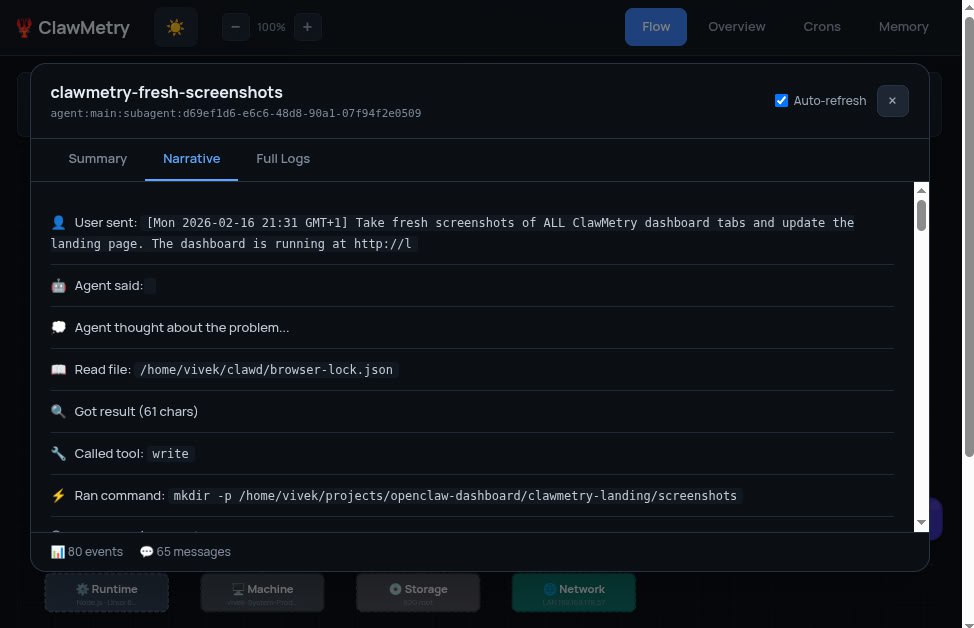
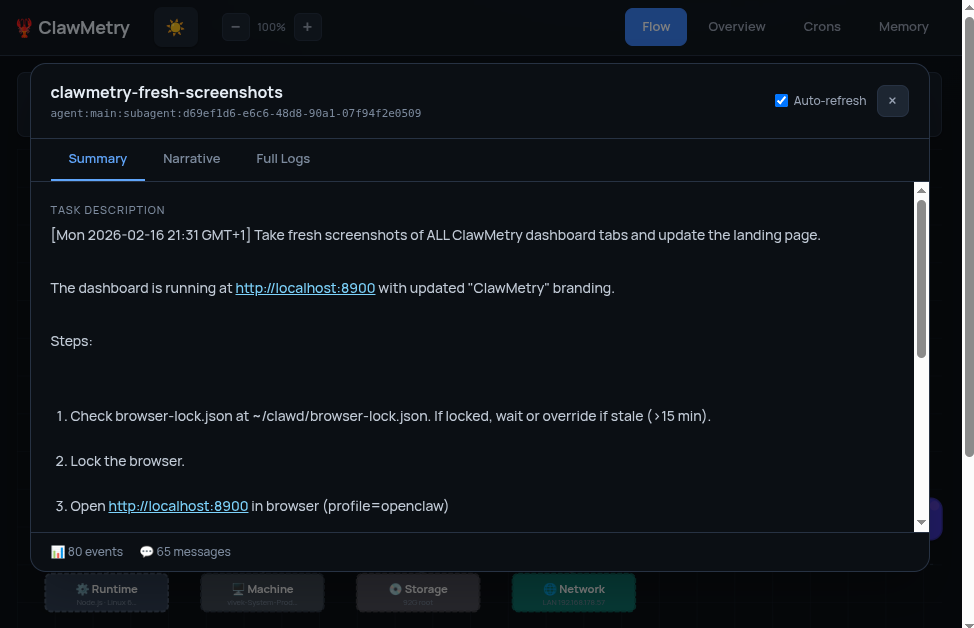
Verbatim record, not a mockup. A real detection from the laptop ClawMetry was built on. The steps, the counts and the message are what the daemon wrote to disk.

Why ClawMetry exists Every AI agent needs a kill switch. Read the founder’s story →
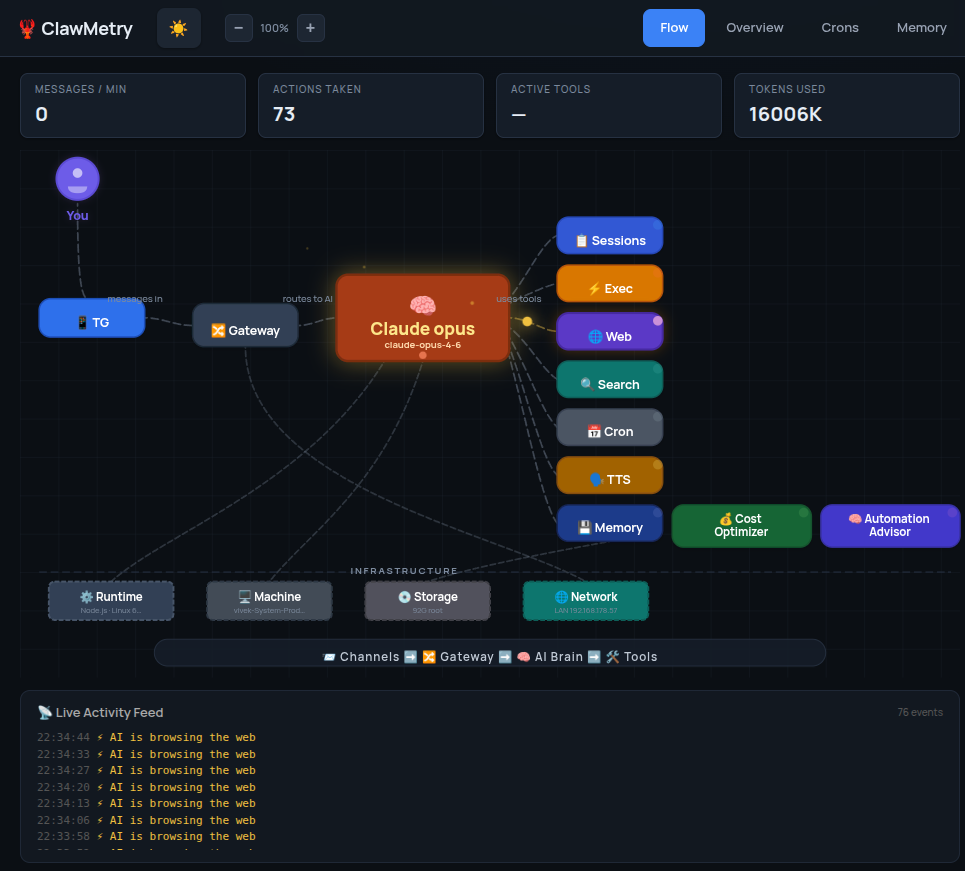
Inside ClawMetryclawmetry - agentsExpand ↗
Every runtime on the machine with cost, owner, last seen and what it is doing right now.

Actual ClawMetry interface, from the public product screenshots. Data shown is from the founder’s machine. Source ↗

Explore the full toolkit Sessions, quality, context, channels and more

Trace the work

Session replay, live activity, sub-agent graphs, tool timelines and runtime-specific detail.

Developer views ↗

Improve the economics

Token and cost attribution, cache analysis, context usage, model routing advice and run comparisons.

Cost optimization ↗

Watch the operating context

Health, logs, memory, skills, schedules and channel activity where the runtime exposes them.

Dashboard guide ↗

Set policy and keep evidence

Supported approval gates, incident policies, budget controls, security posture and tamper-evident records.

Governance guide ↗

Availability depends on your plan, runtime and configuration. Consult the linked documentation and pricing.

14 sessions

flagged by a detector

9 detector kinds

fired over the same window

Measured on the machine this page was written on: 102 sessions in 20 hours on 26 August 2026. These were warning signals, not proven savings.

How these signals are detected ↗

ONE CONTROL PLANE, WHATEVER YOUR ENGINEERS USE

31 integrations, and counting.

Your platform team does not maintain these. We do.

31 runtimes with shipped adapters. Coverage differs per runtime. The picker above says how, for yours.

Controls depend on runtime, OS, configuration and plan. A telemetry integration alone cannot stop an agent.

Read detailed coverage ↗

Don’t see the harness you use? Tell us and we’ll add support in about two days. Leave an email and we’ll ping you the moment it ships, plus two months of Pro.

FROM THE PEOPLE RUNNING AGENTS

What people say.

Simen.ai
Blog review
Blog
ClawMetry has become the go-to open source observability dashboard for OpenClaw agents. No configuration required, and the live flow visualization shows you the actual decision path your agent took, step by step.
Mykola Kondratiuk
Product Hunt
Product Hunt
Oh this is exactly what I needed. The biggest pain point has been figuring out where my tokens are going. Especially with sub-agents spawning other sub-agents, costs spiral fast and you have zero visibility.
@oadiaz
Medium
Medium
It's like going from 'I think my agents are working' to having a mission control center. The cost tracking alone was worth it. I discovered one agent was using 3x more tokens than necessary.
Product Hunt
#5 Launch Day
ClawMetry launched alongside Claude Sonnet 4.6 and held #5 all day. Featured in the PH newsletter under 'Keep agents in line.' 198+ upvotes.
Mayank Jain
LinkedIn
LinkedIn
What are your AI agents actually doing behind the scenes? Most builders don't know. They just hope everything works. But hope is not observability. Meet ClawMetry.
awesome-openclaw
Community list
Awesome List
Open source observability for OpenClaw: token costs, session drift, memory alerts. Nothing leaves your machine.
FunBlocks AI Reviews
Review
Review
A must-have for any serious developer or startup working with AI sandboxes.
@jonah_lipsitt
▶ Video
I got tired of not knowing what my OpenClaw was doing. A Phillips Hue spotlight now shines on my Mac Mini based on what it is doing, further visualized by @clawmetry
@KalariyaHiren1
Thread
Ask OpenClaw to do something. It starts working. And you just... wait. Hoping. Is it searching? Which websites? Where is it stuck right now? Zero visibility. ClawMetry fixes that.
@Save_Delete
If you are building with OpenClaw, ClawMetry is the missing piece. Real-time visibility into every sub-agent, tool call, token cost, and session log.
Mihail / HookWatch
Product Hunt
Product Hunt
This is exactly the kind of tooling the AI agent ecosystem needs right now. The per-session cost breakdown is a smart move. Most teams have no idea what their agents actually cost until the invoice hits.
@nickvnturi
This looks like a very helpful tool for tracking agents. Thanks for sharing it.
@Asif2BD
ClawMetry and our JARVIS Mission Control complement each other. Observability and coordination are separate problems.
@complete_ai_training
Instagram
Instagram
On the 19th of February, I discovered 5 exciting new AI tools you won't want to miss: ClawMetry for OpenClaw, Flixier, Your AI Clone, Baseline Core, and STUD.
@ProductHunToday
Top 5 · Product Hunt
Top 5 on Product Hunt (Feb 18, 2026): #5 ClawMetry for OpenClaw, launched alongside Claude Sonnet 4.6.
Harsh Upadhyay
Product Hunt
Product Hunt
Really like the clarity of 'Know what your agents are doing. Right now.' The core pain you're solving feels bigger than a single ecosystem. Very clean execution.
Damian Saez
Product Hunt
Product Hunt
Observability for AI agents is something most builders overlook until things break in production. Love that you're tackling this early.
Simen.ai
Blog review
Blog
ClawMetry has become the go-to open source observability dashboard for OpenClaw agents. No configuration required, and the live flow visualization shows you the actual decision path your agent took, step by step.
Mykola Kondratiuk
Product Hunt
Product Hunt
Oh this is exactly what I needed. The biggest pain point has been figuring out where my tokens are going. Especially with sub-agents spawning other sub-agents, costs spiral fast and you have zero visibility.
@oadiaz
Medium
Medium
It's like going from 'I think my agents are working' to having a mission control center. The cost tracking alone was worth it. I discovered one agent was using 3x more tokens than necessary.
Product Hunt
#5 Launch Day
ClawMetry launched alongside Claude Sonnet 4.6 and held #5 all day. Featured in the PH newsletter under 'Keep agents in line.' 198+ upvotes.
Mayank Jain
LinkedIn
LinkedIn
What are your AI agents actually doing behind the scenes? Most builders don't know. They just hope everything works. But hope is not observability. Meet ClawMetry.
awesome-openclaw
Community list
Awesome List
Open source observability for OpenClaw: token costs, session drift, memory alerts. Nothing leaves your machine.
FunBlocks AI Reviews
Review
Review
A must-have for any serious developer or startup working with AI sandboxes.
@jonah_lipsitt
▶ Video
I got tired of not knowing what my OpenClaw was doing. A Phillips Hue spotlight now shines on my Mac Mini based on what it is doing, further visualized by @clawmetry
@KalariyaHiren1
Thread
Ask OpenClaw to do something. It starts working. And you just... wait. Hoping. Is it searching? Which websites? Where is it stuck right now? Zero visibility. ClawMetry fixes that.
@Save_Delete
If you are building with OpenClaw, ClawMetry is the missing piece. Real-time visibility into every sub-agent, tool call, token cost, and session log.
Mihail / HookWatch
Product Hunt
Product Hunt
This is exactly the kind of tooling the AI agent ecosystem needs right now. The per-session cost breakdown is a smart move. Most teams have no idea what their agents actually cost until the invoice hits.
@nickvnturi
This looks like a very helpful tool for tracking agents. Thanks for sharing it.
@Asif2BD
ClawMetry and our JARVIS Mission Control complement each other. Observability and coordination are separate problems.
@complete_ai_training
Instagram
Instagram
On the 19th of February, I discovered 5 exciting new AI tools you won't want to miss: ClawMetry for OpenClaw, Flixier, Your AI Clone, Baseline Core, and STUD.
@ProductHunToday
Top 5 · Product Hunt
Top 5 on Product Hunt (Feb 18, 2026): #5 ClawMetry for OpenClaw, launched alongside Claude Sonnet 4.6.
Harsh Upadhyay
Product Hunt
Product Hunt
Really like the clarity of 'Know what your agents are doing. Right now.' The core pain you're solving feels bigger than a single ecosystem. Very clean execution.
Damian Saez
Product Hunt
Product Hunt
Observability for AI agents is something most builders overlook until things break in production. Love that you're tackling this early.

START WITH ONE DEVELOPER. SCALE TO THE FLEET.

One machine is one node.

Free

Monitor the agents on your own machine. OpenClaw, NVIDIA NemoClaw and Goose, no account.

Teams

Observe and govern every supported runtime across your machines. From $9 per node per month.

Enterprise

SSO, audit export, self-hosted and air-gapped deployment.

Fleet brief →

See pricing 7-day Pro trial on every runtime. No credit card.

START WITH YOUR OWN AGENTS

Your next session
shouldn’t be a mystery.

Install on the machine where your agent runs. Open the dashboard. Find one session worth understanding.

  1. Install ClawMetryChoose a desktop app or terminal command.
  2. Let it find your runtimesExisting local session stores are detected automatically.
  3. Open a sessionInspect the activity. Add controls when you’re ready.

Choose your install

TERMINAL
pip install clawmetry && clawmetry

Requires Python and a supported agent runtime on this machine.

Then open localhost:8900 ↗

OpenClaw, NemoClaw or Goose?

Start free on one machine, without an account.

Claude Code, Codex, Cursor or another paid runtime?

Start the 7-day Pro trial ↗ · No credit card.
Then choose the plan that fits. See pricing →

Installation help & Docker setup ↗

BEFORE YOU INSTALL

Three questions everyone asks.

Does it change how my agents run?

No. Observation reads the session stores your agents already write; it needs no SDK and no change to your code. Enforcement is separate and opt-in: pre-tool hooks, proxy routing and process controls each require setup. What runs on your machine, and what leaves it →

Can it stop any agent?

No, and the matrix says exactly where it can. Claude Code exposes a pre-execution tool hook. Mid-run control needs a reachable, correctly identified process. A Cursor editor conversation shares the one IDE process, so a per-session kill is unsafe and we refuse it. Exact runtime coverage →

Does any of my data leave the machine?

Not until you turn something on. Session data stays local until you enable cloud sync or an export; a default install still makes install and update requests. Cloud sync encrypts session content on the node, while operational metadata stays readable by the service. Read the full data inventory →